

blog Details

blog

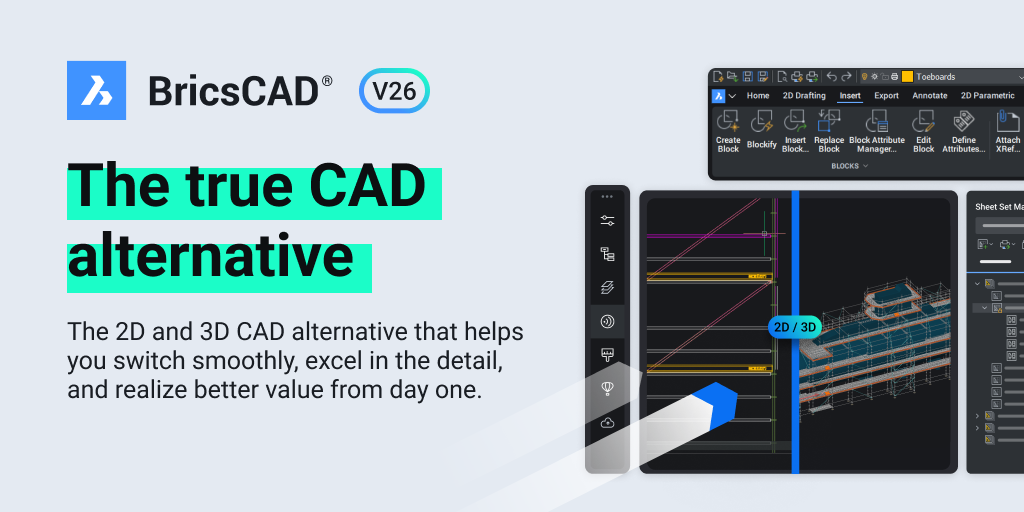
BricsCAD Mechanical V26

DWG-Based Mechanical Design and Manufacturing Documentation

BricsCAD Mechanical V26

A comprehensive mechanical CAD solution combining 2D drafting, 3D modeling, assemblies, sheet metal, Bills of Materials, manufacturing documentation and design validation in one familiar DWG environment.

Mechanical CAD DWG Platform Manufacturing Sheet Metal Design Validation

Design-to-Production in One Platform

Native DWG drafting and mechanical documentation.

Parametric 3D parts and assembly creation.

Integrated sheet-metal design and validation.

Associative BOMs, drawings and production documents.

Product Overview

What Is BricsCAD Mechanical V26?

BricsCAD Mechanical V26 is a DWG-based mechanical design platform developed for engineers, machine builders, manufacturers and technical-documentation teams.

It brings together 2D drafting, direct 3D modeling, parametric components, assemblies, sheet-metal design, Bills of Materials, production drawings and engineering validation within one integrated environment.

Mechanical engineers can develop a product in 3D, generate associated 2D documentation and maintain linked manufacturing information without moving between disconnected applications.

Its native DWG environment also helps companies reuse existing drawings, blocks, metadata, symbols and documentation created in compatible DWG-based mechanical design systems.

Designed for Manufacturing Documentation

BricsCAD Mechanical is not limited to geometric modeling. It supports the complete design-to-production workflow, including component libraries, assembly structures, exploded views, parts lists, standards-based annotations, sheet-metal validation and engineering checks.

Core Capabilities

Comprehensive Tools for Mechanical Engineering

BricsCAD Mechanical combines modeling, assemblies, documentation and validation tools in one connected mechanical CAD workflow.

30K

Parametric Standard Parts

Access a large library of configurable standard mechanical components covering fasteners, bearings, profiles and other commonly used parts.

3D

Direct 3D Modeling

Create and modify mechanical geometry using direct modeling tools without relying on a rigid feature history.

ASM

3D Assembly Creation

Insert, position and edit components directly within assemblies while maintaining structured product data.

SM

Sheet-Metal Design

Create sheet-metal components, convert suitable 3D solids and prepare manufacturable unfolded patterns.

2D

Production Drawings

Generate associative drawing views, dimensions, annotations, sections and detailed manufacturing documentation from 3D models.

BOM

Associative Bills of Materials

Generate BOMs and parts lists linked to assembly and component data, helping reduce manual documentation.

DWG

DWG Compatibility

Open, edit and reuse DWG drawings, mechanical symbols, metadata, annotations and parts-list information.

STD

Drawing Standards

Apply mechanical dimensions, symbols and annotations aligned with ISO, DIN, JIS and ANSI practices.

Integrated Manufacturing Workflow

From Mechanical Concept to Production Documentation

Build mechanical products, organize assemblies and generate the information required for manufacturing, assembly and maintenance.

01

Standard Component Library

Use approximately 30,000 configurable parts across more than 800 mechanical component categories to accelerate routine design work.

02

3D-to-Sheet-Metal Conversion

Automatically recognize suitable 3D geometry and convert it into editable sheet-metal features for further refinement.

03

3D-to-2D Documentation

Convert 3D assemblies into annotated 2D views, exploded diagrams, manuals and assembly instructions.

04

Linked Assembly Information

Maintain associations between parts, assemblies, exploded views, BOMs and related documentation.

05

Manufacturing Standards

Apply familiar mechanical symbols and documentation practices to improve drawing consistency and clarity.

06

Design Validation

Review interference, assembly movement, sheet-metal manufacturability and structural performance before releasing drawings.

Version 26 Enhancements

Faster Mechanical Design and Documentation

BricsCAD Mechanical V26 introduces improvements that simplify sheet-metal recognition, 2D FEA, dimensioning, weld documentation and parts navigation.

Sheet Metal

Optimized Feature Recognition

Improved edge-feature classification helps recognize sheet-metal geometry more effectively, with additional control over extrusion depth.

Engineering Analysis

Faster and Reusable 2D FEA

Edit analysis setups more easily, visualize reaction forces and reuse simulation definitions for repeated engineering studies.

Dimensioning

Streamlined Dimension Control

Improved commands and user-interface controls help users create and modify mechanical dimensions more efficiently.

Automation

Smart Auto-Chamfer Dimensions

Automatically create clear linear dimensions for chamfered features, reducing repetitive manual work.

Welding Documentation

Comprehensive Weld Symbol Dialog

Apply and manage weld symbols through a unified dialog with detailed property and formatting control.

Drawing Navigation

Effortless Parts Navigation

Use combined zoom-and-highlight commands to locate individual parts more quickly in complex drawings and assemblies.

Mechanical Design Workflow

A Connected Design-to-Manufacturing Process

BricsCAD Mechanical supports the main stages required to move from a product concept to manufacturing-ready documentation.

1

Create the Design

Develop parts using 2D drafting or direct 3D modeling.

2

Build the Assembly

Insert and organize standard or custom components.

3

Validate the Product

Review movement, interference, assembly and DFM risks.

4

Generate Documents

Create drawings, dimensions, BOMs and exploded views.

5

Release to Production

Deliver clear DWG-based manufacturing information.

Business Advantages

Why Use BricsCAD Mechanical V26?

Improve productivity, documentation accuracy and design collaboration while continuing to work with the DWG format.

One Integrated Environment

Perform drafting, 3D modeling, sheet-metal work, assemblies and documentation without switching between separate CAD applications.

Faster Design Creation

Use configurable standard parts, direct modeling and mechanical tools to reduce repetitive design work.

Reduce Documentation Errors

Associative BOMs, views and parts lists help keep manufacturing documents synchronized with model data.

Reuse Existing DWG Data

Continue working with legacy drawings, libraries and mechanical documentation stored in DWG format.

Improve Design Validation

Detect assembly conflicts, sheet-metal concerns and structural issues before production.

Support Manufacturing Standards

Apply recognized dimensions, symbols and annotations for clear communication with suppliers and production.

Improve Team Collaboration

Designers, production teams and suppliers can share compatible DWG-based product information.

Shorten Design-to-Production Time

Connected 3D modeling and documentation workflows help reduce repeated data preparation.

Flexible Licensing Options

BricsCAD solutions can support organizations seeking practical CAD deployment and long-term ownership options.

Industry Applications

Industries That Can Use BricsCAD Mechanical

Suitable for organizations involved in equipment design, product manufacturing, fabrication and technical documentation.

⚙️

Machine Design

Develop machines, mechanisms and production equipment.

🏭

Industrial Equipment

Design assemblies, frames and manufacturing systems.

🚘

Automotive Suppliers

Create components, fixtures and production drawings.

🔩

Fabrication

Prepare sheet-metal parts, weldments and shop drawings.

🛠️

Tool and Die

Develop tools, fixtures and mechanical documentation.

🚜

Agricultural Equipment

Design machinery, implements and mechanical assemblies.

📦

Packaging Machinery

Create automated machines and production layouts.

🔧

Maintenance Engineering

Update legacy DWG drawings and equipment documentati

Product features and availability may vary according to the BricsCAD edition, licence configuration and software release. Confirm current capabilities and commercial terms before purchase.

Social Share :